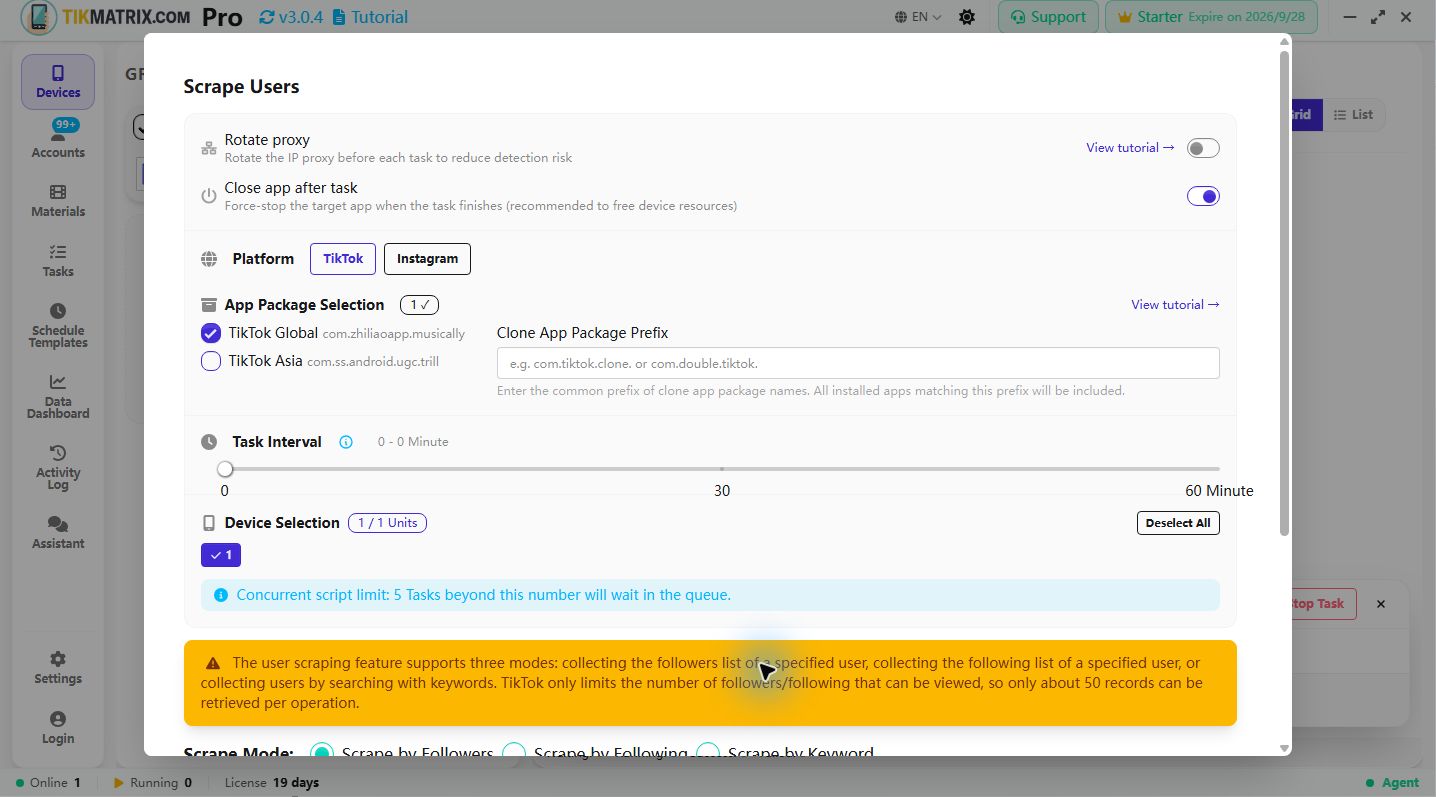
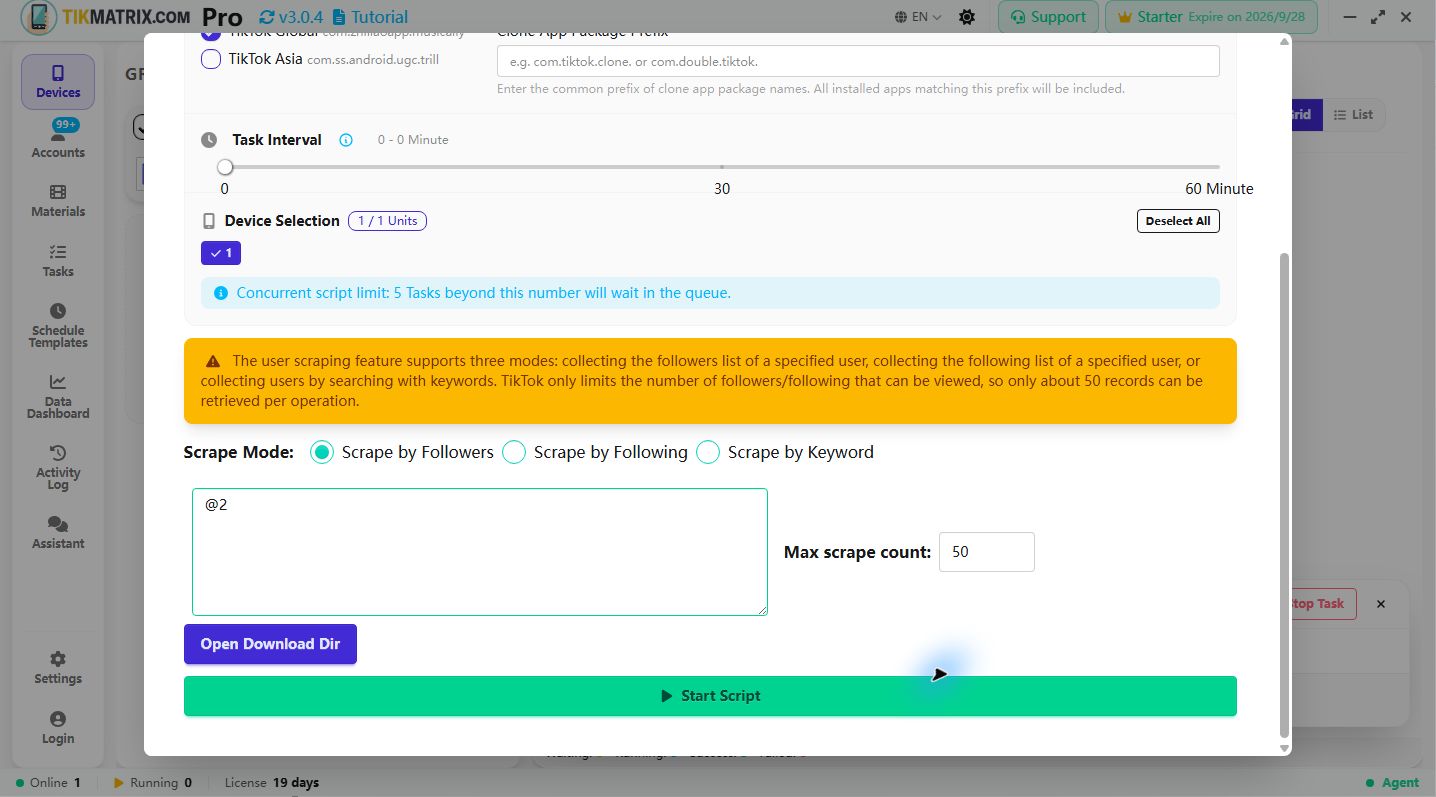
Scrape Users
Platforms: TikTok, Instagram, Threads
The Scrape Users script exports usernames from TikTok, Instagram, or Threads. It supports three modes: collecting the followers list of a specified user, collecting the following list of a specified user, or collecting users by searching with keywords. The runner uses the selected platform's real-device UI.
Steps
-
Select the device to run the script. If you select multiple devices, the scraping tasks will be evenly distributed among the selected devices.
-
Click
Script>Scrape Users. -
Configure the task settings:
- Scrape Mode: Select the mode for scraping users.
- Scrape by Followers: Collect users from the followers list of specified accounts.
- Scrape by Following: Collect users from the following list of specified accounts.
- Scrape by Keyword: Search and collect users using keywords.
- Target Account Usernames: Enter the username of the account to scrape users from, one per line (for Followers and Following modes).
- Search Keywords: Enter keywords to search for users (for Keyword mode).
- Max scrape count: Set the maximum number of users to scrape.
- Scrape Mode: Select the mode for scraping users.
-
Click
Start Scriptto begin.
Output and limits
- Usernames are written under TikMatrix's
<work_dir>/download/directory, one username per line. Files are named after the target or keyword:<target>_followers.txt,<target>_following.txt, or<keyword>.txt(unsafe filename characters are replaced). Max scrape countis passed asmax_scrape_count; the runner stops after that many new usernames. Existing files are appended so a later run can continue an export.- The default maximum is 50. The value is clamped to the safe runner range of 1–10,000; the platform may expose fewer rows in one scroll session.
Screenshot